
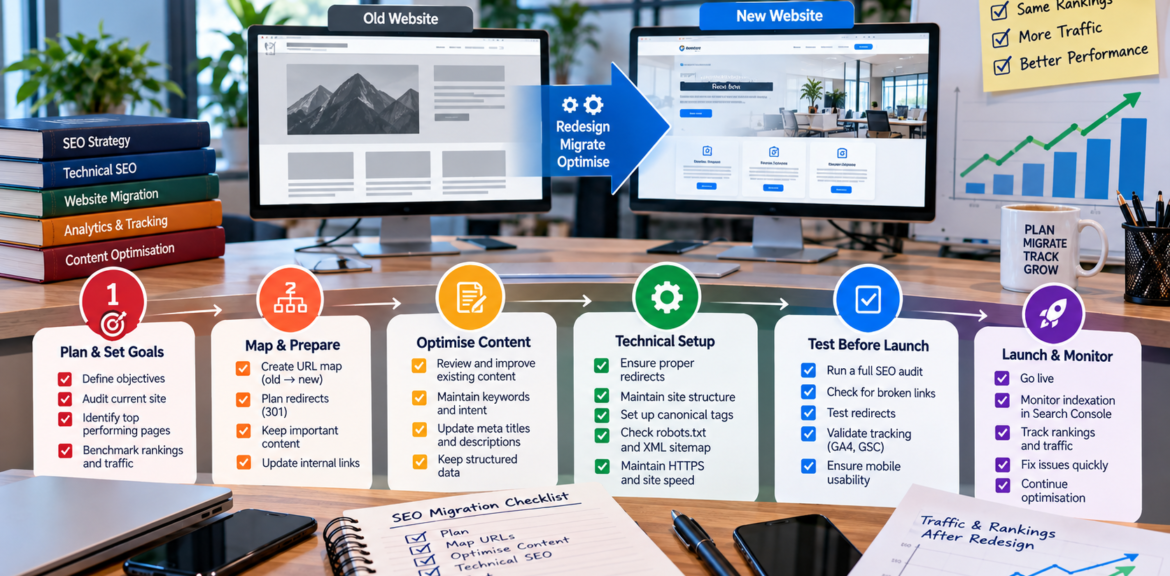

A regional business launches a beautiful new website on a Friday. By the following Friday, the phone has gone quiet. Pages that used to rank have vanished from Google, the old URLs return error pages and nobody can say what changed.
It happens more often than agencies like to admit. A redesign is a chance to improve your site, but it’s also the single riskiest moment in a website’s life from an SEO point of view. The good news is that almost every serious loss is preventable with planning.
This checklist covers what to do before, during and after a rebuild.
Why redesigns put rankings at risk
Search engines have spent years learning what your existing pages are about and which ones deserve to rank. When you change URLs, content, structure or technical setup, you’re asking them to relearn. If you don’t tell them clearly what moved where, you can lose accumulated trust.
The most common causes of ranking loss are:
- Changing URLs without redirecting the old ones
- Deleting pages that were bringing in traffic
- Rewriting content so heavily that it no longer matches what ranked
- Launching with the site still blocked from search engines
- Losing metadata, headings, internal links or schema
- Making the site slower or harder to use on mobile
Before you start: set your goals and baseline
- Decide what the redesign is for. More enquiries? Better mobile experience? New services? A clear goal helps you decide what to change and what to protect.
- Record your baseline. Before touching anything, capture:
- Organic traffic and enquiries from analytics
- Your top landing pages and the keywords driving them, from Google Search Console
- Current rankings for your key terms
- Your backlinks, including which pages attract them
- Core Web Vitals and speed scores
Without a baseline, you can’t tell whether the new site is better or worse.
- Crawl the old site. Use a crawler to export every URL, title, heading, status code and internal link. This is the master list you’ll map against.
Step 1: Map every old URL to a new one
This is the most important job in the whole project.
For each existing URL, decide:
- Keep it (same URL on the new site)
- Move it (new URL, with a permanent 301 redirect from the old)
- Merge it (combine with another page, redirecting to the best match)
- Remove it (only if it has no traffic, links or value, and then redirect to the closest relevant page rather than the homepage)
Prioritise pages with organic traffic, backlinks or conversions. Redirecting everything to the homepage is a common shortcut that throws away relevance.
Step 2: Protect what’s working
Your best pages are your best pages for a reason.
- Keep the core content of pages that already rank. Improve it, but don’t gut it.
- Keep title tags and headings that align with the searches you win, unless you have evidence they can be improved.
- Preserve internal links, particularly from your homepage and navigation to key service pages.
- Carry over structured data and add it where missing.
- Keep your image alt text and file naming sensible.
If you’re also planning to expand your service or town pages, read our guide to ranking in multiple NSW towns without doorway pages first, so new pages add value rather than clutter.
Step 3: Build and test on a staging site
Develop the new site on a private staging address, and block it from search engines while you work, using password protection or a noindex tag, so that unfinished pages don’t get indexed. Then test:
- Every redirect from your map
- Forms, phone links and booking tools
- Mobile layouts on real phones
- Page speed and Core Web Vitals
- Accessibility basics
- Metadata, headings, canonical tags and schema
The biggest launch-day mistake in WordPress projects is forgetting to remove the “discourage search engines” setting or noindex tag when the site goes live. Put it on the checklist, and check it twice.
Step 4: Aim for good Core Web Vitals
Google’s Core Web Vitals measure real-user experience. The thresholds for a “good” rating, which Google’s documentation still lists as stable in 2026, are:
- Largest Contentful Paint (LCP): 2.5 seconds or less
- Interaction to Next Paint (INP): 200 milliseconds or less
- Cumulative Layout Shift (CLS): 0.1 or less
They’re measured on real users, typically at the 75th percentile. They are a modest signal rather than a magic ranking lever, and content relevance still matters more, but slow, janky sites lose customers and make everything else harder. Common culprits are oversized images, heavy plugins, slow hosting and layout shifts from fonts or banners. See Google’s Core Web Vitals documentation for details.
Speed matters in regional Australia, where mobile coverage can be patchy and customers are less forgiving of slow pages.
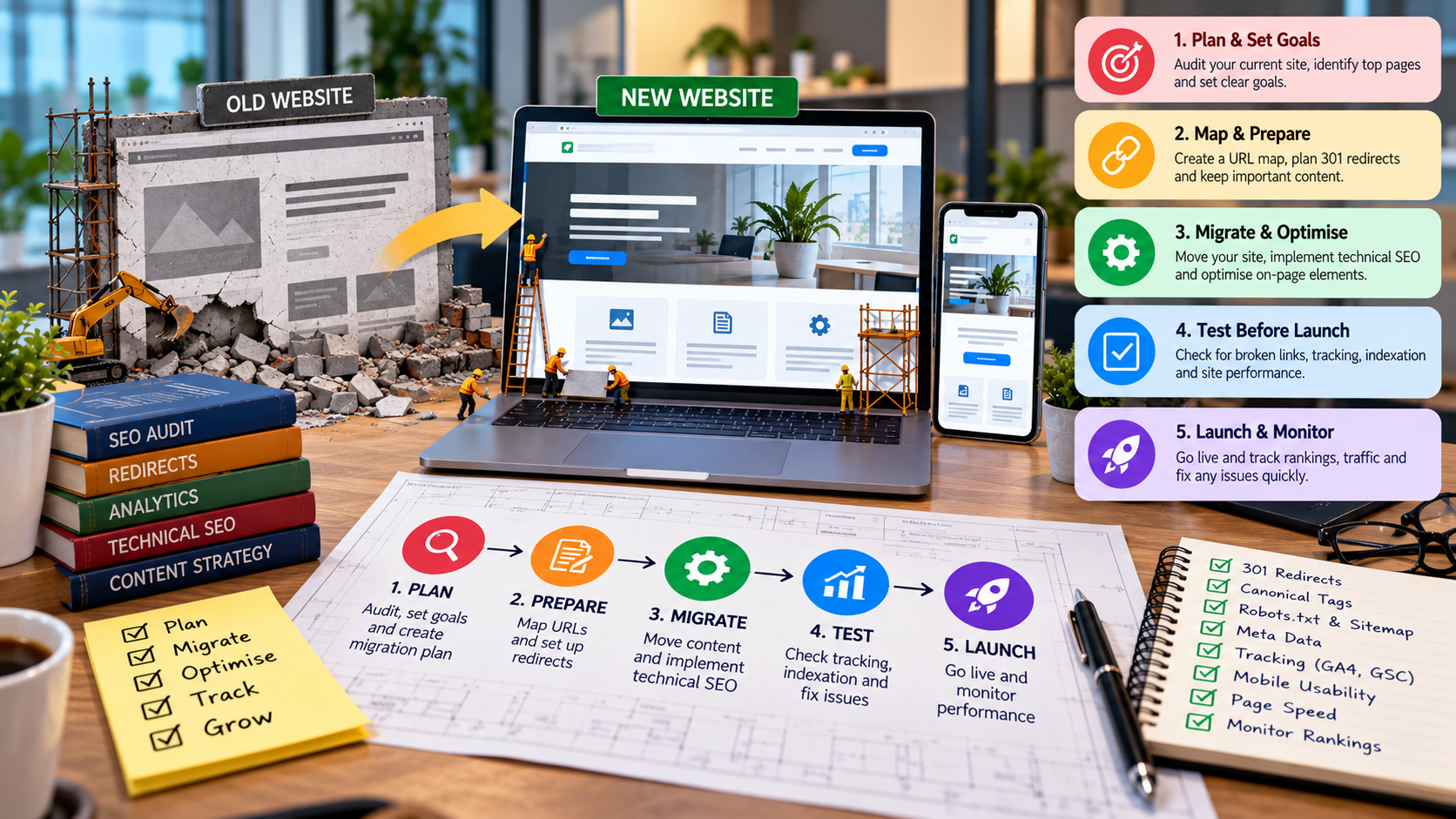
Step 5: Launch checklist
On launch day:
- Remove noindex and password protection, and confirm robots.txt allows crawling
- Switch on the 301 redirects from your URL map
- Test a sample of old URLs to confirm they redirect to the right page, in one step
- Submit your XML sitemap in Google Search Console
- Check canonical tags point to the live versions
- Confirm analytics and conversion tracking are working
- Verify Google Business Profile links point to live, correct pages
- Check that the site loads over HTTPS and that the www and non-www versions resolve consistently
- Fix any broken links or missing images spotted on a crawl
Launch early in the week rather than Friday afternoon, so problems can be fixed while everyone’s at their desk.
Step 6: Monitor closely for 4 to 12 weeks
Don’t launch and walk away.
- Search Console: watch for crawl errors, “not found” pages, indexing drops and coverage warnings
- Traffic and enquiries: compare against your baseline
- Rankings: check your priority terms weekly
- Redirects: look for chains or loops
- Speed: re-test Core Web Vitals with real-user data as it accumulates
- Customer feedback: confirm forms and phone numbers work
Some fluctuation in the first few weeks is normal as search engines reprocess the site. A sustained, steep drop in organic traffic is a signal to investigate quickly.
Don’t forget the off-site pieces
A new site affects more than your own pages.
- Update your Google Business Profile website link and check hours and services match the new content. Our Google Business Profile checklist covers this.
- Ask important backlinking sites to update links to new URLs if redirects aren’t possible, which ties in with your local link building efforts.
- Update directory listings, social bios and email signatures.
How long does a rebuild take, and what does it cost?
Timelines depend on size and complexity. Our own web design and development page indicates most business websites take around three to six weeks, with custom or software-based projects running longer. For a feel for the broader budget picture, including SEO alongside the build, see our guide to how much SEO costs for small businesses.
Should you redesign at all?
Sometimes the better answer is to improve, not replace. If your site ranks well and converts reasonably, targeted fixes to speed, content and calls to action may deliver more than a full rebuild. An audit helps you decide. Our free SEO analysis is a sensible first step, and our search engine optimisation team can plan the migration so your rankings carry across.